Learn Adobe Photoshop Basics – FREE Course
About this course
Adobe Photoshop has been around almost as long as the web. Older fans among us will remember how it has improved and become more…
Full description
Adobe Photoshop has been around almost as long as the web. Older fans among us will remember how it has improved and become more powerful over the decades, A graphic designer’s staple and a web designer’s staple Photoshop has been the designer’s go-to professional soultion to creating and editing images of many formats for many purposes from web friendly images to print industry design and logos. Even with the emergence of AI, Photoshop skills are a must for those partaking in design. The Learn Adobe Photoshop Basics course is an intro to this smart tool which will prepare you for undertaking your Photoshop adventure in the working world.
An Introduction
An Accidental Beginning — Thomas Knoll’s grayscale display utility built for his own PhD research, his brother John (then at Industrial Light & Magic) spotting its potential, and the path to Adobe licensing it — laid out as an animated timeline from 1987 to the Creative Cloud era.
What Editing Looked Like Before Photoshop — A live mockup of the actual Photoshop 1.0 interface from 1990, built as a retro Mac System 6 window with a tiny toolbar and grayscale-only canvas, contrasted against the sprawling modern interface.
Photoshop and the Birth of the Visual Web — How Photoshop arrived almost exactly alongside the web itself (1989 vs 1990), the lost “slice and dice” workflow using HTML tables, and the “Save for Web” feature that shaped dial-up era design.
The Feature That Changed Everything: Layers — A working mock Layers Panel demo (visually matching the one in your course), explaining why Photoshop 3.0’s 1994 layers feature is the direct ancestor of every modern creative tool’s editing model.
How Photoshop Became “The Standard” — The ecosystem strategy, PSD as universal currency, and a stat grid (1990, 90%+, 3 decades, 1 dictionary verb).
How Designers Use Photoshop Today — An industry grid covering photo retouching, film/VFX, UI/UX, e-commerce, editorial, digital art, advertising, and architecture, plus a 6-card version timeline from 1.0 through to today’s Generative AI features.
The Cultural Footprint and Why Learning Photoshop Still Matters — closing sections tying the “Photoshopped” cultural phenomenon back to why it’s worth learning today.
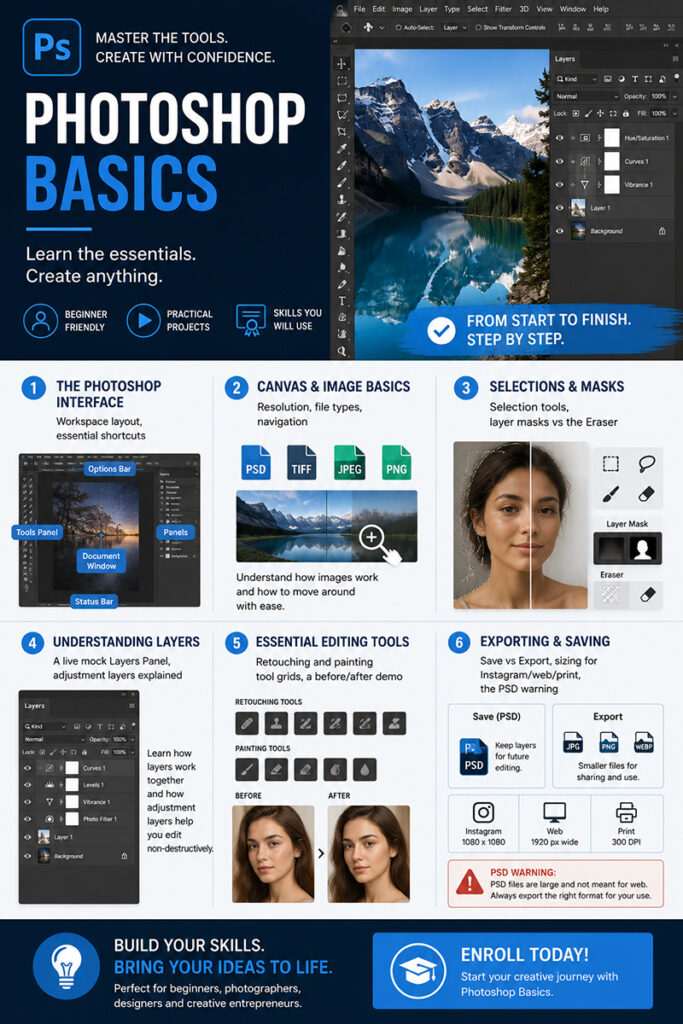
6 lessons covering:
- The Photoshop Interface — workspace layout, essential shortcuts
- Canvas & Image Basics — resolution, file types, navigation
- Selections & Masks — selection tools, layer masks vs the Eraser
- Understanding Layers — a live mock Layers Panel, adjustment layers explained
- Essential Editing Tools — retouching and painting tool grids, a before/after demo
- Exporting & Saving — Save vs Export, sizing for Instagram/web/print, the PSD warning